
Built for a cleaner YouTube
Less noise,
more of what you want to watch.
Hide Shorts and filter by video duration. With Pro, organize further by keywords, channels, upload date and view count — and customize card layouts for Subscriptions and channel videos.
Content Hiding
Keep what you don't want to see
out of the way.
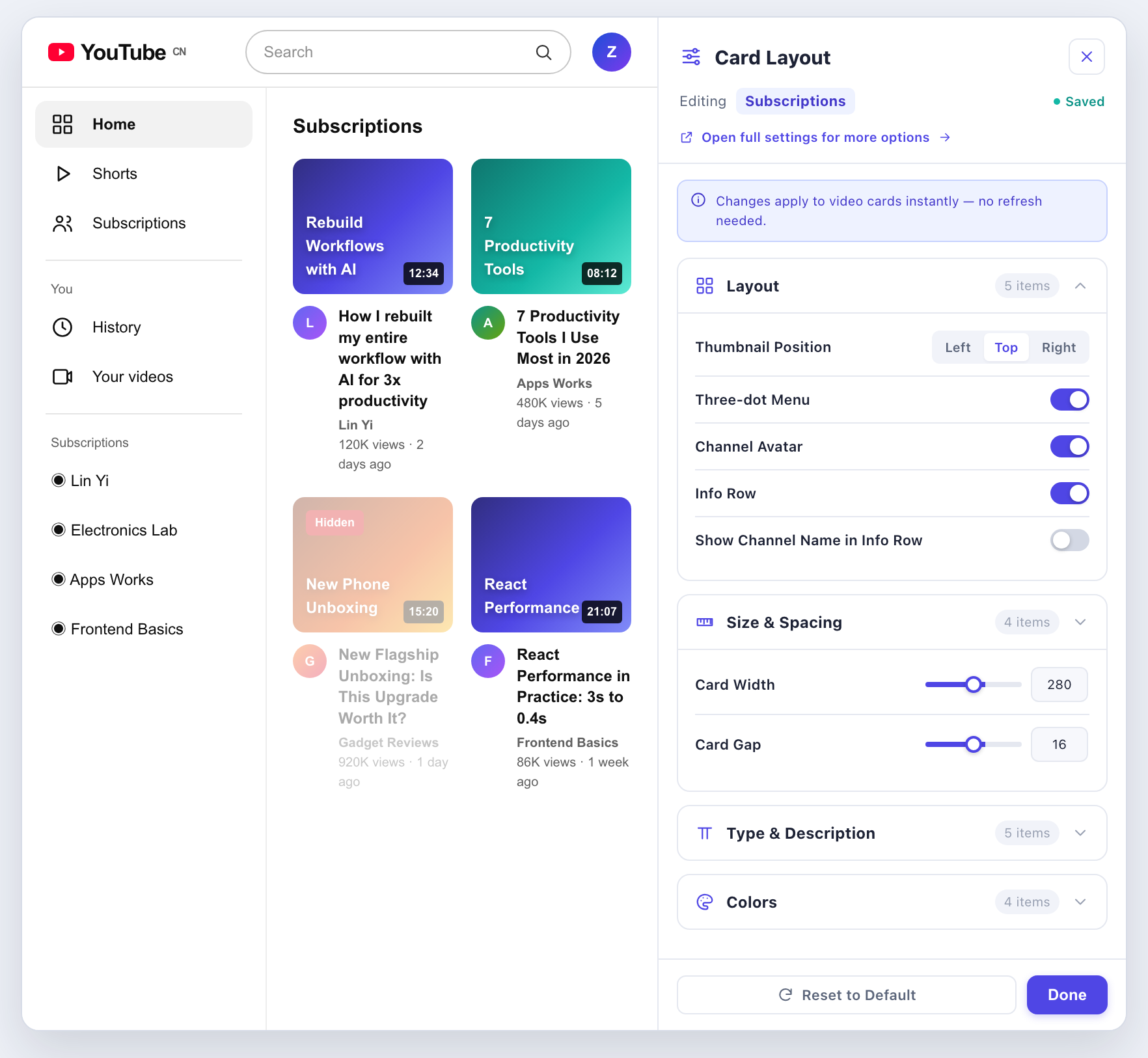
Hide distractions as needed, and choose where they apply.
- Hide ShortsReduce clutter from short-video entry points and cards.
- Hide "Most relevant" recommendationsHide that recommendation module on supported pages.
- Hide live streamsWhen you're not in the mood for live streams, keep your feed on track.
- Hide page ads ProHide recognizable page ad elements to reduce visual clutter.
Each item can be turned off, or set to apply within Subscriptions or site-wide where supported.
Video Filtering
Put the filters in your hands.
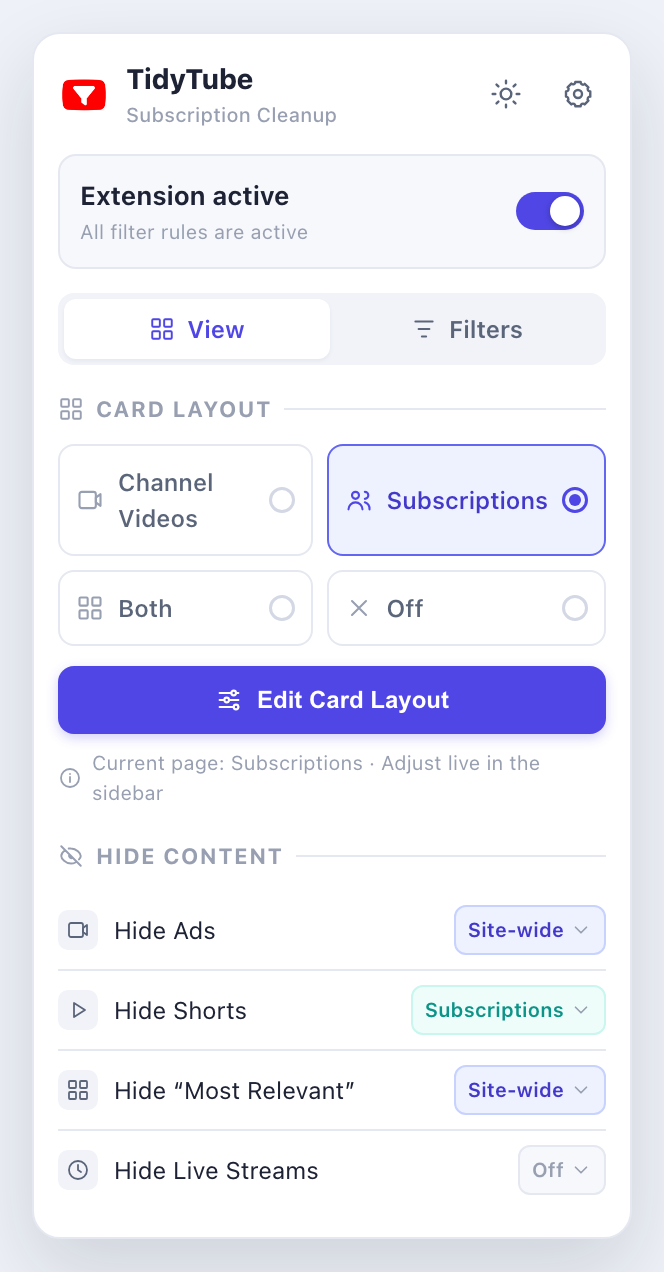
Set conditions to match how you watch, and scroll less.
- Video duration FreePick a common duration or set your own min and max.
- Upload date ProSee recently uploaded videos or limit to a date range.
- View count ProSet lower and upper view-count limits to find what fits.
- Keywords & channels ProInclude or exclude, and manage content by title keyword or channel name.
Supports contains text, exact match, whole-word match and case sensitivity. Quickly add a rule from a card's block icon when you see something you don't want.
Card Layout · Key Feature
More than filtering — make the list look right, too.
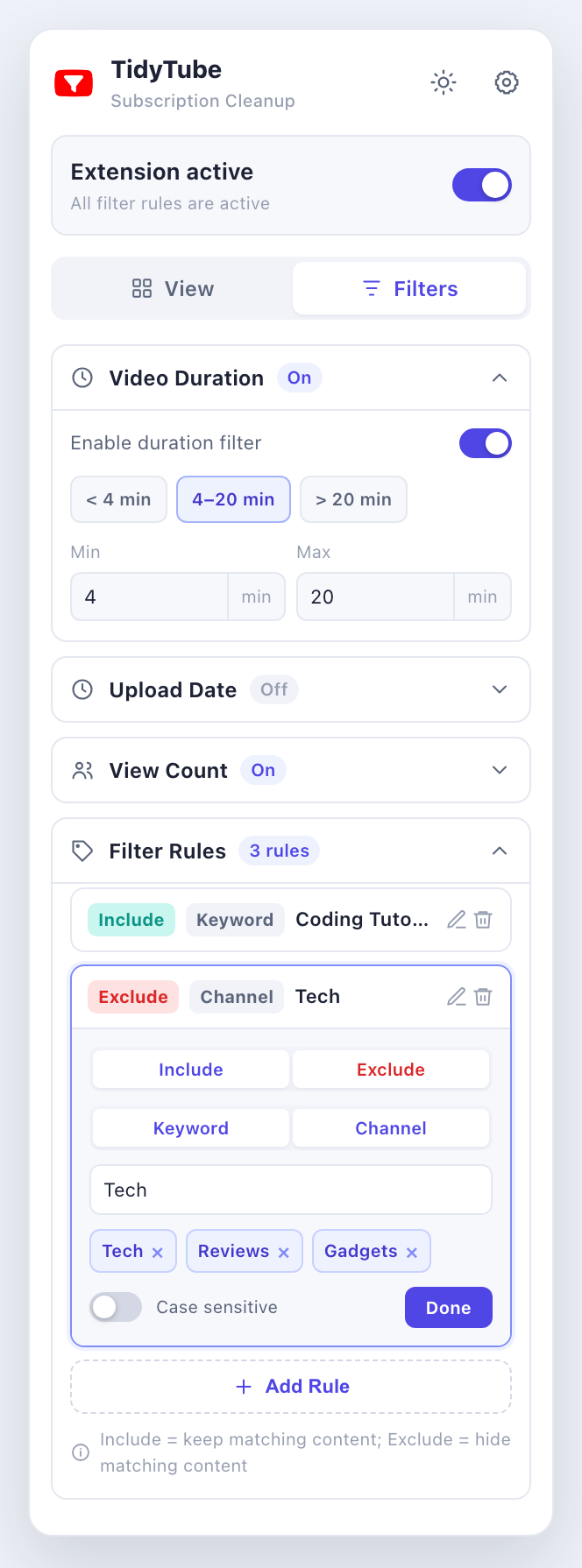
Set card layouts separately for Subscriptions and channel videos. Open the sidebar on the current page and adjust as you watch.
Layout & info
Move the thumbnail, and show or hide the channel avatar, info row and three-dot menu.
Size & spacing
Choose compact, standard or roomy, then tune card width, thumbnail size and spacing.
Font & description
Adjust title, channel name, duration badge and description sizes, plus description line count.
Text colors
Customize text colors, or restore them to follow the page.
Once a scenario is enabled, changes apply to the supported page you have open — no extra save needed.
Presets & Personalization
Keep your go-to rules
so you don't start over next time.
- Custom preset words ProSave common keywords and channels, organize them into groups, and add them to filters as needed.
- Import / export settings ProBack up your settings, or move them to another browser environment manually.
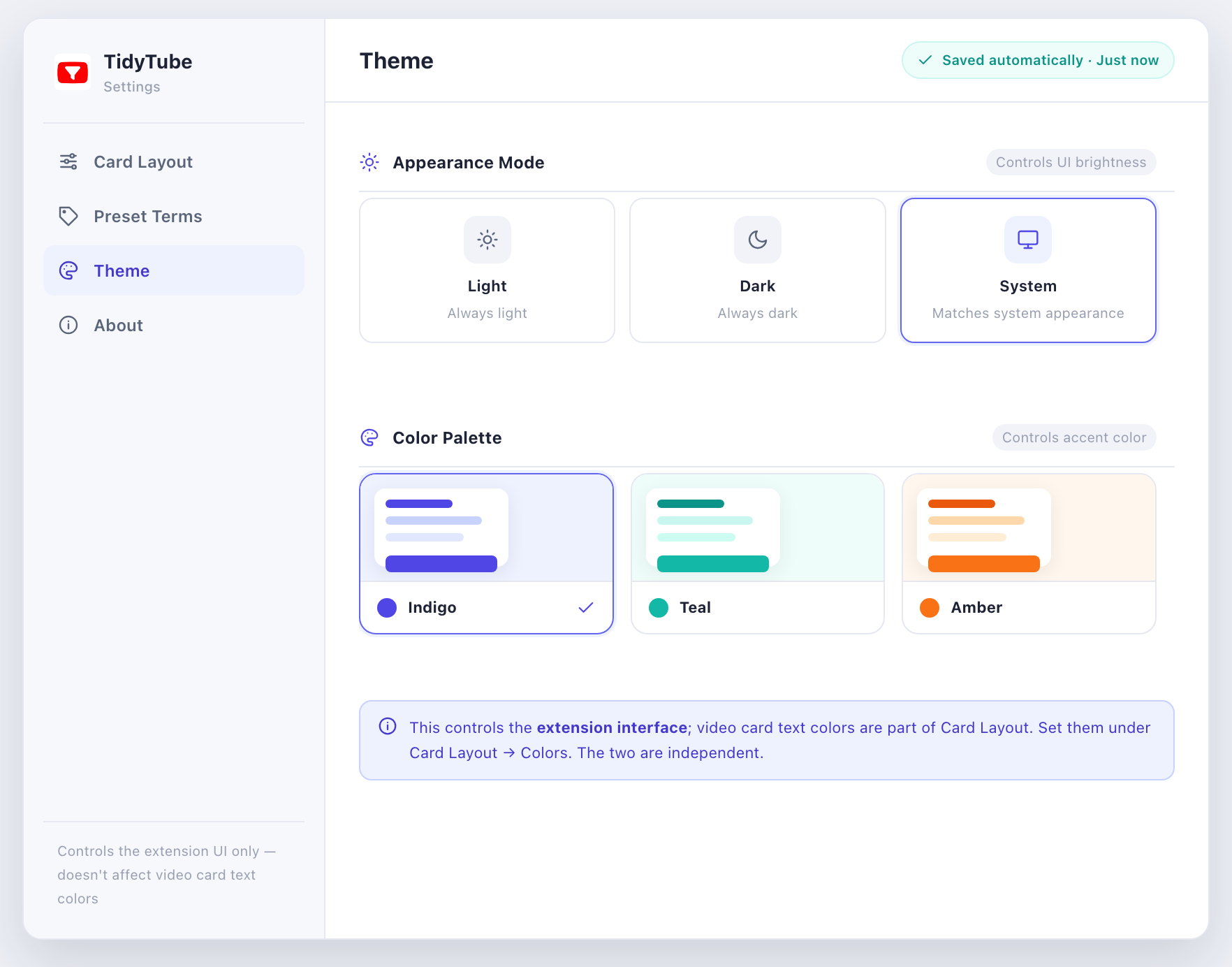
- Themes & appearanceIndigo is free; Pro unlocks Teal and Amber. Light, dark and system-follow are free for everyone.
- 12 languagesMatched to your browser language and region on first use, or switch manually in settings.
Deutsch · English · Nederlands · español · français · italiano · polski · русский · Chinese (Simplified) · Chinese (Traditional) · Japanese · 한국어
Getting Started
Start with one simple tweak.
Install TidyTube
Add the extension from the Chrome Web Store and pin it to your toolbar.
Open YouTube
Click the extension icon on a supported YouTube page.
Choose View or Filters
Try duration filtering and content hiding for free; upgrade to Pro when you want more control.
Keep watching
Settings auto-save and take effect immediately in the chosen scope.
The extension icon is only enabled on supported YouTube pages.
Pricing
Free core features. Full control, one payment.
Free
Free forever
Start with duration filtering and content hiding.
- Duration filtering
- Hide Shorts, recommendations & live
- Indigo theme & light/dark modes
- 12 languages
Pro
One payment, unlocked forever
Filter more precisely, arrange cards more freely.
After installing, open the extension's Account & Upgrade to Pro, sign in and complete your purchase. No subscription, no auto-renewal.
- Everything in Free
- Upload-date & view-count filters
- Keyword & channel rules
- Quick block & preset groups
- Page ad hiding
- Two-scenario card layouts & live sidebar
- Import / export settings
- Teal & Amber themes
See the full Free vs Pro comparison (19 items)
| Feature | Free | Pro |
|---|
Things you might want to know.
Can I keep using the Free version?
Yes. Duration filtering, hiding Shorts, "Most relevant" recommendations and live streams, plus basic theme and language settings, are all free.
Is Pro a subscription?
No. Pro is a one-time payment that permanently unlocks the Pro features listed at purchase, with no auto-renewal.
Which pages can I customize cards on?
Currently YouTube's Subscriptions and channel video pages. Each scenario saves its own layout, and you can enable both in the popup.
Do I need to refresh or save after changes?
Settings auto-save. Changes apply live on the enabled scenarios and supported pages.
Can it skip all YouTube ads?
We can't promise that. Pro hides recognizable page ad elements, but does not remove all in-video ads.
Do rules sync across devices?
Rules and layouts are saved in the local browser; automatic cross-device sync is not provided. Pro lets you back up and migrate settings manually via export/import.
Do I need to sign in to YouTube?
The extension needs no extra authorization of your YouTube account to process accessible video lists; the Subscriptions page itself may still require a YouTube sign-in. Purchasing and verifying Pro requires signing in to your TidyTube account.
Why weren't some videos filtered?
Check the master toggle, filter scope and whether conditions are on. Some cards lack duration, upload date or view-count data, and page-structure changes can affect detection.
Ready when you are
Make YouTube fit the way you watch.
Start with the free features, then unlock Pro if you need it.
 Add to Chrome — Free